
Order Confirmation Templates. An order confirmation records the goods or services a seller understands the customer has agreed to purchase. It helps both sides check quantities, specifications, prices, and delivery arrangements before fulfillment. The confirmation should be specific enough to expose a misunderstanding while there is still time to correct it.
Connect the confirmation with the customer's order or quotation. If an item is unavailable or a requested date cannot be met, do not silently copy the original request as though it has been accepted unchanged. Explain the difference and obtain the appropriate agreement.
Browse the previews and resource links, or use the guide below to choose the right layout.
Details to check before choosing a layout
Order reference. Use a unique reference and include the customer's purchase-order number where provided.
Items and specifications. Record descriptions, quantities, units, and relevant variations. Add drawing or specification references for custom work.
Prices and conditions. Show the agreed price basis, approved discounts, and any relevant charges or conditions.
Fulfillment details. Confirm the delivery or service arrangement and explain how corrections or changes should be communicated.
A practical preparation workflow
- Compare the order with the accepted quotation or agreed terms.
- Enter the confirmed items, quantities, and prices.
- Check delivery details and identify any differences requiring agreement.
- Send the confirmation and retain the agreed version with subsequent changes.
An example in practice
For an order of 20 blue folders, the confirmation should not simply say office supplies. Record the quantity, product reference, color, unit price, and agreed delivery location. If only 15 can be supplied initially, show the split and the agreed next step rather than implying that all 20 will arrive together.
Which format fits the task?
A product confirmation emphasizes quantities and shipping. A service confirmation emphasizes scope and timing. Custom manufacturing may need a referenced specification attached to the order record.
Editable files, calculations, and shared copies
Choose a spreadsheet when the task depends on repeated rows, totals, or filtering. Use an editable document when explanatory wording and page layout matter more than calculations. A PDF may be convenient for a finalized copy, but it is not automatically fillable. A ZIP is a container; inspect its contents before deciding which application you need.
When adapting a spreadsheet, test a few representative entries and check the totals independently. Adding a row or moving a column can leave a formula pointing at the wrong range. Keep dates and numbers in a consistent format. If you share a completed copy, retain a separate blank master so the next version does not accidentally include a previous customer's or participant's details.
Checks that prevent confusion
An order confirmation is not automatically a receipt or proof of delivery. Avoid copying a billing address into the delivery field or overlooking approved changes made after the first order.
Related documents for the next step
Prepare the invoice from the agreed order details. See invoice formats.
Add confirmed shipments to the delivery schedule. See delivery schedule templates.
Use a delivery note when the goods are dispatched. See delivery note templates.
Previews and linked resources
The collection includes file links and external source pages. File type is shown on direct-file buttons; external pages may offer paid options or additional steps. Some reference images have no editable file attached.

Download two customizable templates
These original downloads are hosted on Templates Front. Each ZIP contains the template files and instructions described below.
Product order confirmation
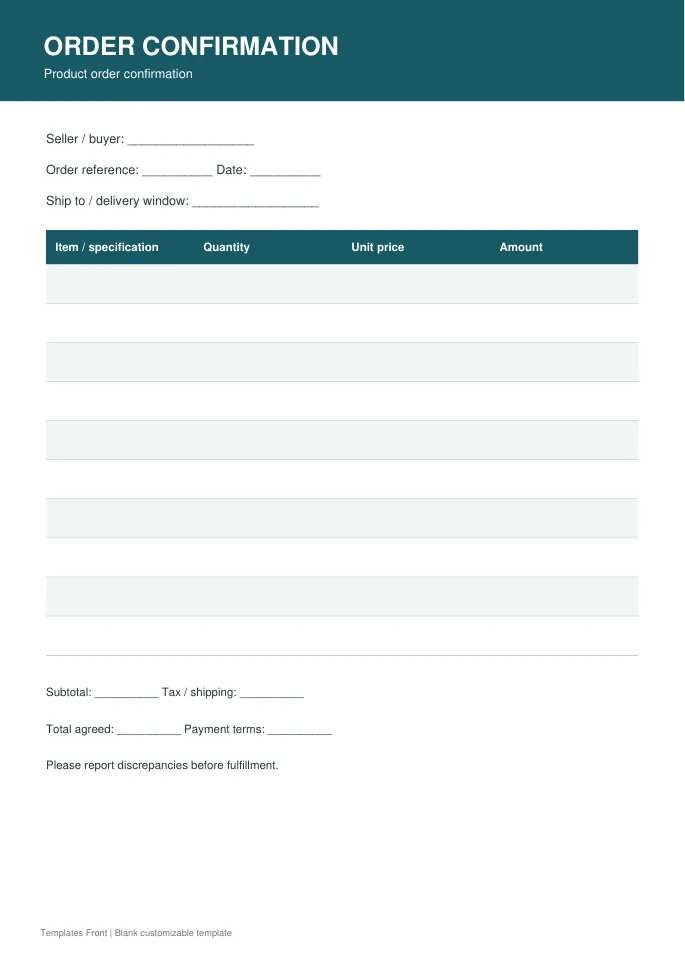
Printable PDF and editable HTML document. Open the HTML in a browser, click the text to edit, then print or save. Tables do not calculate automatically.
Service booking confirmation
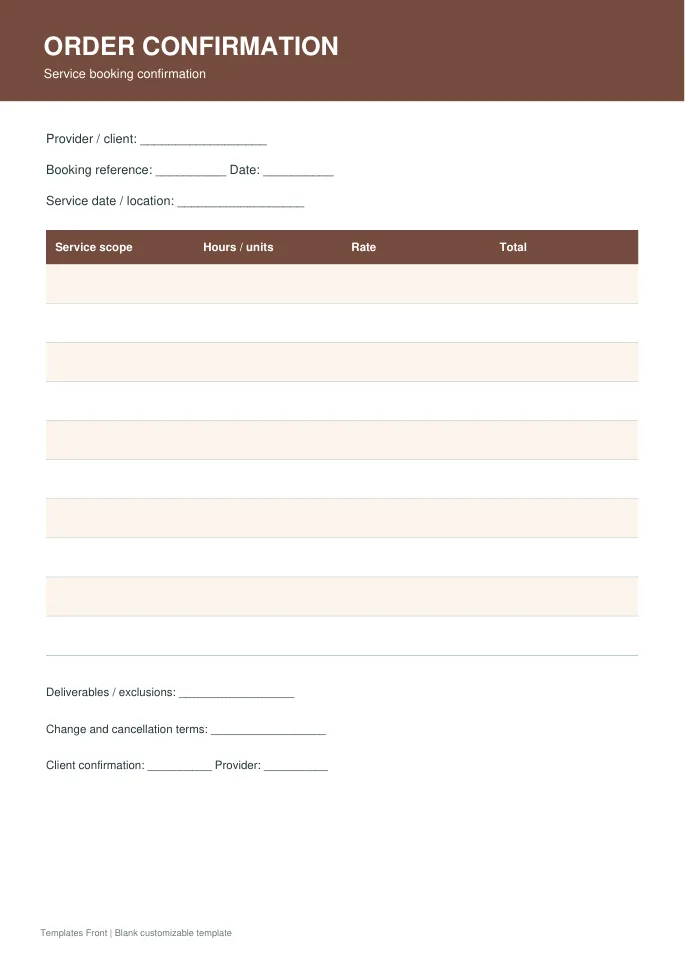
Printable PDF and editable HTML document. Open the HTML in a browser, click the text to edit, then print or save. Tables do not calculate automatically.
Frequently asked questions
Does an order confirmation prove payment?
No. Record payment separately and only state payment received when it has actually been received.
Should changes have a new version?
Keep a traceable record of approved changes so both parties know which terms apply.
Can it be sent by email?
An email can communicate the confirmation, provided the required details and any related documents are clear and retained.
How do I tell a downloadable file from a source page?
The buttons distinguish file links from external source pages. A source page may contain a download, a paid listing, or further information. Check its file type, availability, and usage terms before relying on it. A preview by itself does not promise an editable file.
How to use these order confirmation templates
Using a ready-made order confirmation layout saves time and helps you avoid missing important details. Follow these simple steps to confirm a customer’s purchase and set clear expectations.
- Preview the options above and pick the layout that suits your needs.
- Download the file in the format you prefer.
- Replace the sample details with your own information.
- Check every field carefully before you share or print it.
- Save a copy so you can reuse the order confirmation next time.
Tips for customising your order confirmation
A few small changes make a template feel like your own. Therefore, review each section before you finish.
Repeat the key order details
Show the order number, items, quantities and total. Customers can then spot any mistakes quickly.
State delivery and payment information
Give the expected delivery date, address and payment status. Clear details cut down on follow-up questions.
Add a support contact
Include an email or phone number for help. This builds trust after the purchase.
For related resources, see our invoice templates and delivery note templates. You can also browse more options in the Samples category.
Common mistakes to avoid with order confirmation templates
Even a good template can cause problems if it is used carelessly. Watch out for these common issues.
- Leaving sample text or placeholder names in the final file.
- Skipping a final proofread before you send or print it.
- Using an outdated version instead of the latest copy.
- Forgetting to back up the edited file in a safe place.
Frequently Asked Questions
Are these order confirmation templates free to use?
Yes, you can download and adapt them for personal or business use. However, always check the source link for any extra terms. If you plan to share the file widely, review those terms first.
Which file format should I choose?
Choose the format that matches the software you already use. Word and PDF files are easy to open on most devices. In addition, editable files let you change details without redesigning the page.
Can I edit the order confirmation after downloading?
Yes, editable versions can be changed in a few minutes. Simply open the file and replace the sample text. Then save it under a new name so the original stays unchanged.
How do I make sure the order confirmation fits my situation?
Start by listing the details you must include. Next, compare them with the sections in the template. Finally, add or remove fields until it matches your needs.
Final thoughts
Good preparation makes any document easier to finish. Take a few minutes to review the details, and your order confirmation will look clear and professional.
