
CD Cover Templates. CD cover templates help arrange a title, artwork, track information, and credits around the packaging you plan to print. A front insert, tray card, booklet, and disc label are separate pieces, so identify the component you need before choosing a design. The collection below brings together cover previews and linked design resources.
Measure the actual case or use the printer's specification before changing the artwork. A design that looks square on screen may still be wrong for a folded booklet or a tray card with spines. Keep text clear of folds, trim edges, and areas hidden by the case.
Browse the previews and resource links, or use the guide below to choose the right layout.
What to include
Release identification. Give the artist or project name and release title a clear hierarchy. Make sure both remain readable at the final printed size.
Track list. Check the order, spelling, numbering, and any durations supplied by the creator. Keep track information separate from decorative background text.
Credits and artwork. Include approved production credits and use artwork you are permitted to reproduce. Save the image source and license information with the project.
Print layout. Confirm dimensions, folds, safe areas, and the printer's bleed requirements. Keep the editable source so later corrections do not require rebuilding the cover.
How to customize the format
- Identify the packaging component and obtain the print dimensions before selecting a template.
- Replace demonstration artwork and titles, then add the actual track list and approved credits.
- Print a plain-paper proof, cut or fold it, and check how it fits the intended case.
- Send the final artwork in the format requested by the printer and keep a separate editable master.
Worked example
For a small independent music release, the front insert could show the artist and album title over original artwork. The back tray card could list eight tracks, the release reference, and contact information. A separate booklet can carry longer credits. Trying to fit all of that text onto the front cover usually weakens both readability and visual impact.
Choose the right version
A single front insert suits a simple archive disc. A booklet allows notes and lyrics. A tray card needs spine text and a back panel. Disc-label artwork must match the printer or label product. Download only the component and format that fits the job.
Check the source file and final output
A preview shows the appearance of one example; it does not reveal which parts of the source are editable. A layered design may separate text and artwork, while a JPEG or PNG is usually flattened. Before investing time in a layout, check the supplied format, application compatibility, fonts, and any assets that must be obtained separately.
Keep an editable master and make separate exports for each intended output. For print, confirm the printer's actual specification and inspect a proof at finished size. For a digital image, review it on the screen and background where it will appear. Check the creator's license for the intended use rather than assuming a visible preview includes all rights to the design.
Common mistakes to avoid
Do not stretch a low-resolution preview to fill a print layout. Avoid copying sample barcodes, rights statements, or third-party artwork from a demonstration. Check that front, back, and spine artwork use consistent names and that the print proof fits before ordering multiple copies.
Related documents for the next step
Coordinate a music release with a DJ logo where that matches the artist's identity. See dj logo templates.
For a display title, compare smoke-style fonts and text effects. See free smoke fonts (smoky style).
Use a matching movie-poster layout for an audiovisual release or screening. See movie poster psd templates.
Previews and linked resources
The collection includes file links and external source pages. File type is shown on direct-file buttons; external pages may offer paid options or additional steps. Some reference images have no editable file attached.


Download two customizable templates
These original downloads are hosted on Templates Front. Each ZIP contains the template files and instructions described below.
Geometric music sleeve
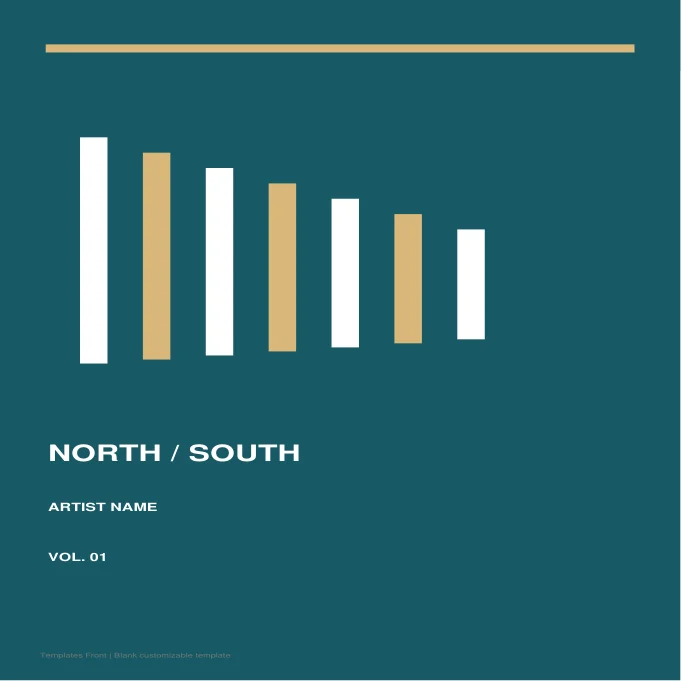
Editable SVG artwork and printable PDF. Open the SVG in a vector editor and replace sample text / photo placeholders. Adjust the artboard to your print supplier specifications; no trim or bleed dimensions are certified.
Spoken-word disc sleeve

Editable SVG artwork and printable PDF. Open the SVG in a vector editor and replace sample text / photo placeholders. Adjust the artboard to your print supplier specifications; no trim or bleed dimensions are certified.
Frequently asked questions
Is a CD cover the same as a disc label?
No. A cover fits the packaging; a disc label or disc print is placed on the disc itself and has different layout requirements.
Can I print a cover at home?
Yes, if you have suitable artwork, paper, and printer settings. Test the size and fit with one proof before printing a batch.
Can I edit the preview image?
A preview is usually a flattened image. For separate text and artwork changes, obtain the editable source file from the linked resource if available.
How do I tell a downloadable file from a source page?
The buttons distinguish file links from external source pages. A source page may contain a download, a paid listing, or further information. Check its file type, availability, and usage terms before relying on it. A preview by itself does not promise an editable file.
How to use these cd cover templates
Using a ready-made cd cover layout saves time and helps you avoid missing important details. Follow these simple steps to design a cover and booklet for an album or compilation.
- Preview the options above and pick the layout that suits your needs.
- Download the file in the format you prefer.
- Replace the sample details with your own information.
- Check every field carefully before you share or print it.
- Save a copy so you can reuse the cd cover next time.
Tips for customising your cd cover
A few small changes make a template feel like your own. Therefore, review each section before you finish.
Add the album title and artist
Place the title and artist name where they are easy to read. Keep fonts consistent across the design.
List the track names clearly
Use a tidy list on the back cover. Number the tracks so listeners can follow along.
Use the correct print size
CD covers have standard dimensions. Check the template size before you send it to print.
For related resources, see our DJ logo templates and movie poster templates. You can also browse more options in the Samples category.
Common mistakes to avoid with cd cover templates
Even a good template can cause problems if it is used carelessly. Watch out for these common issues.
- Leaving sample text or placeholder names in the final file.
- Skipping a final proofread before you send or print it.
- Using an outdated version instead of the latest copy.
- Forgetting to back up the edited file in a safe place.
Frequently Asked Questions
Are these cd cover templates free to use?
Yes, you can download and adapt them for personal or business use. However, always check the source link for any extra terms. If you plan to share the file widely, review those terms first.
Which file format should I choose?
Choose the format that matches the software you already use. Word and PDF files are easy to open on most devices. In addition, editable files let you change details without redesigning the page.
Can I edit the cd cover after downloading?
Yes, editable versions can be changed in a few minutes. Simply open the file and replace the sample text. Then save it under a new name so the original stays unchanged.
How do I make sure the cd cover fits my situation?
Start by listing the details you must include. Next, compare them with the sections in the template. Finally, add or remove fields until it matches your needs.
Final thoughts
Good preparation makes any document easier to finish. Take a few minutes to review the details, and your cd cover will look clear and professional.
