
ID Card Templates and Design Resources. ID card templates help plan the visual layout of an organization-issued staff, student, visitor, or membership card. They organize a name, photograph, organization, role, and reference in a compact space. The design file does not establish identity or grant access; issuance and verification belong to the organization's own process.
Decide what the card must do. A visitor badge may only need a name, host, date, and clear visitor label. A staff card may need a photograph and internal reference. Avoid adding sensitive information merely because a sample includes it.
Browse the previews and resource links, or use the guide below to choose the right layout.
Details to check before choosing a layout
Cardholder information. Use the approved name and role or category. Keep the most important identifying text readable.
Photograph. Use an authorized image with appropriate crop and sufficient clarity for the card's purpose.
Organization and reference. Show the issuing organization and its actual internal reference where used.
Production and validity. Confirm the card dimensions, orientation, print areas, and any valid-from or expiry information required by the issuer.
A practical preparation workflow
- Define the card purpose and collect only the approved fields.
- Choose a layout that fits the intended card size and printing method.
- Test with a long name and a realistic photograph.
- Have the organization approve the design and issue cards through its controlled process.
An example in practice
A visitor badge can show VISITOR prominently, followed by a fictional name, host department, and visit date in a layout test. A staff identity card can use a different color or category label. Clear categories matter more than decorative details that reduce the space for the name.
Which format fits the task?
Portrait cards give more vertical space for a photo and name. Landscape cards may suit a longer organization name. Temporary badges should be clearly distinct from permanent staff cards.
Check the source file and final output
A preview shows the appearance of one example; it does not reveal which parts of the source are editable. A layered design may separate text and artwork, while a JPEG or PNG is usually flattened. Before investing time in a layout, check the supplied format, application compatibility, fonts, and any assets that must be obtained separately.
Keep an editable master and make separate exports for each intended output. For print, confirm the printer's actual specification and inspect a proof at finished size. For a digital image, review it on the screen and background where it will appear. Check the creator's license for the intended use rather than assuming a visible preview includes all rights to the design.
Checks that prevent confusion
Do not imitate a government identity document or suggest that a downloaded design authorizes access. A printed QR code or barcode is not automatically connected to a working verification system.
Related documents for the next step
A membership certificate provides a separate record of confirmed membership. See membership certificate templates.
An employment certificate confirms employment facts in a different document. See free certificate of employment.
A sign-up sheet can collect initial interest before an organization verifies and issues membership. See sign up sheet word templates.
Previews and linked resources
The collection includes file links and external source pages. File type is shown on direct-file buttons; external pages may offer paid options or additional steps. Some reference images have no editable file attached.
Company Employee ID Cards PSD
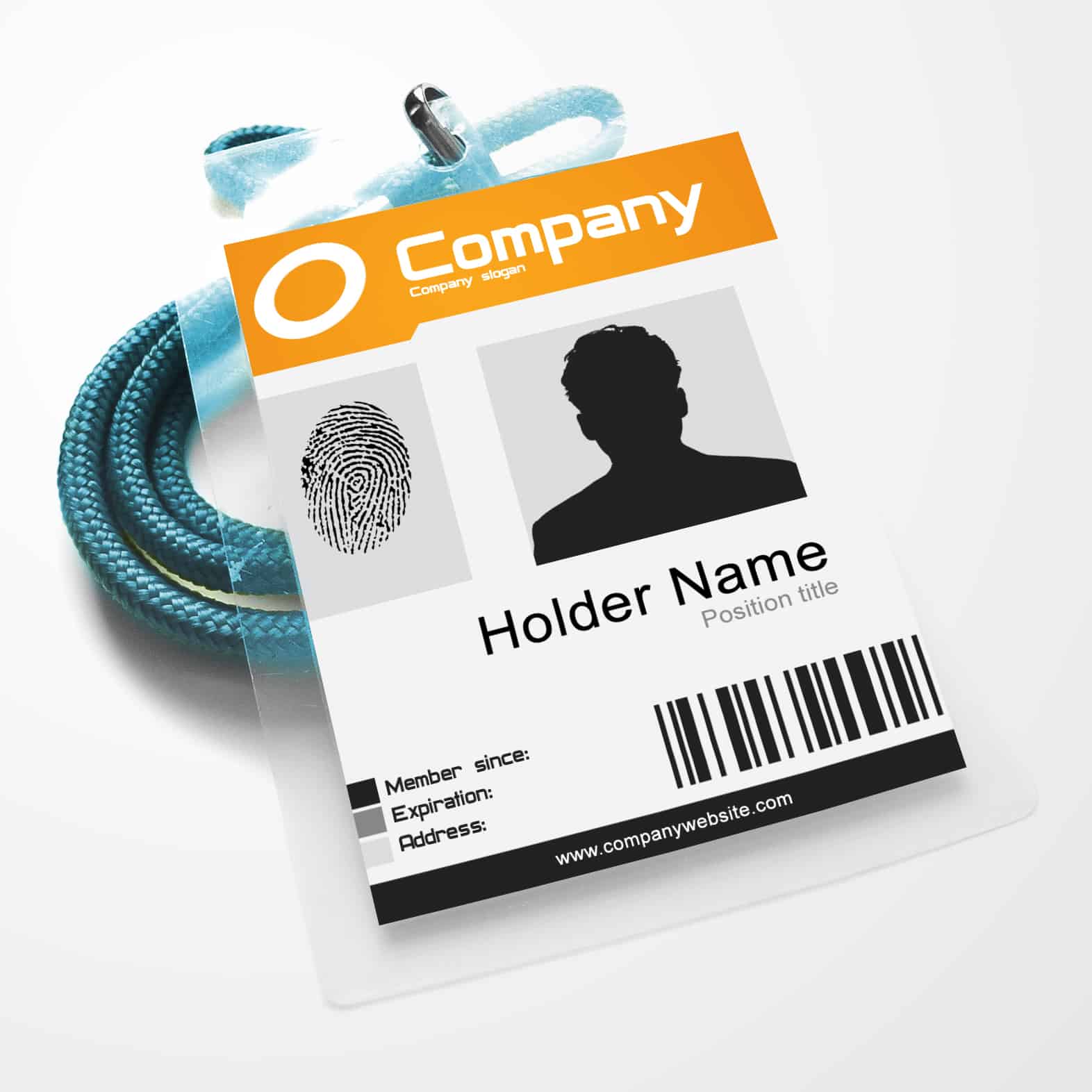
View source and availability
 View source and availability
 View source and availabilityStudent ID Card Formats


Blank ID Card Templates


Download two customizable templates
These original downloads are hosted on Templates Front. Each ZIP contains the template files and instructions described below.
Visitor badge
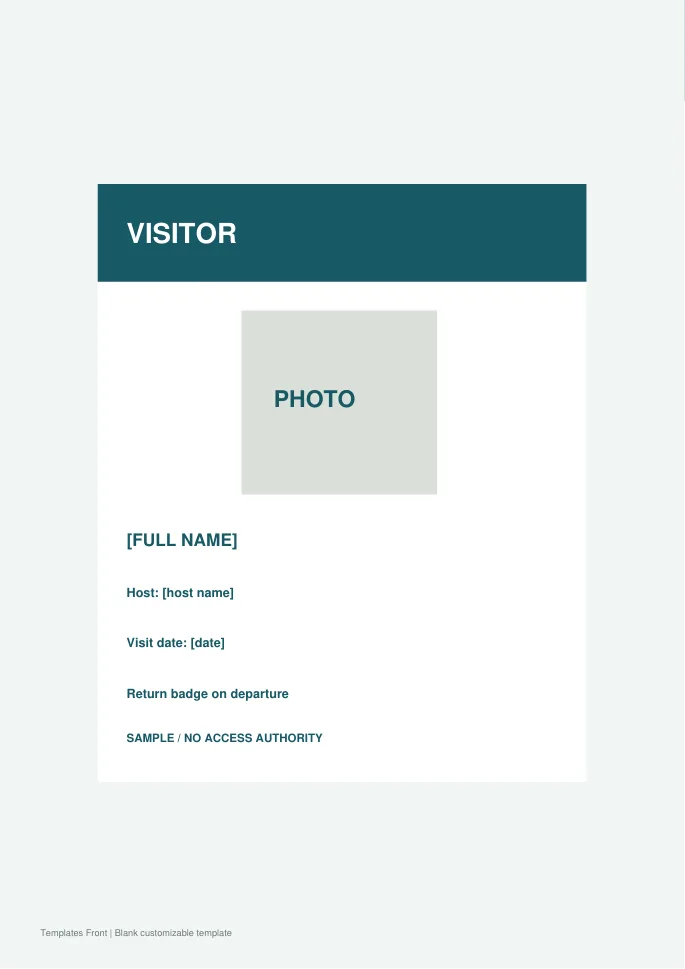
Editable SVG artwork and printable PDF. Open the SVG in a vector editor and replace sample text / photo placeholders.
Staff card layout
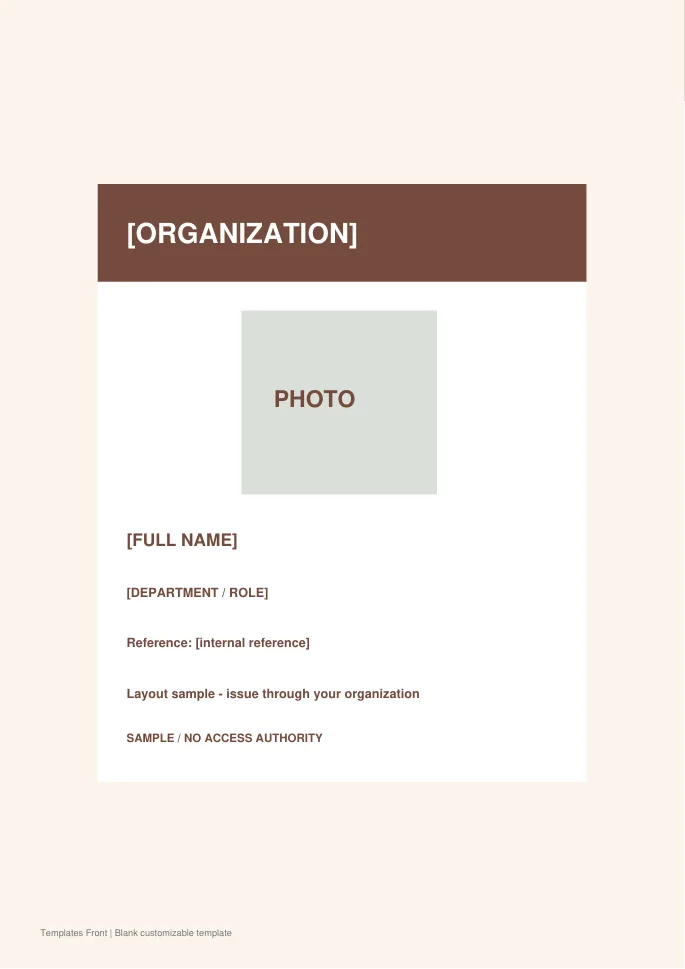
Editable SVG artwork and printable PDF. Open the SVG in a vector editor and replace sample text / photo placeholders.
Frequently asked questions
Does a template create a valid organization ID?
No. The organization must approve and issue the card through its own process.
Will a barcode work automatically?
Only when it is correctly connected with an appropriate system and process. Decorative code artwork is not verification.
Should I put private details on the card?
Include only information necessary for its purpose and approved by the issuer.
How do I tell a downloadable file from a source page?
The buttons distinguish file links from external source pages. A source page may contain a download, a paid listing, or further information. Check its file type, availability, and usage terms before relying on it. A preview by itself does not promise an editable file.
