
Salary Certificate Formats. A salary certificate is an employer-issued statement of verified pay information for a named employee. A useful format identifies the employee, employer, pay period or basis, and the amounts the issuer is authorized to confirm. It should distinguish gross pay, deductions, and net pay rather than presenting an unexplained single figure.
Ask the recipient what information is required before preparing the certificate. A bank or another institution may supply its own form. Use the employer's approved records and do not include private details beyond what is necessary for the legitimate request.
Browse the previews and resource links, or use the guide below to choose the right layout.
Details to check before choosing a layout
Employee and employer. Use correct names and a verified employment reference where appropriate.
Pay basis. State the currency and whether amounts are monthly, annual, or for a specified period.
Components and deductions. Separate the pay elements being confirmed and explain any variable or nonrecurring amounts appropriately.
Issue and verification. Include the issue date, authorized signatory, and an approved employer contact route.
A practical preparation workflow
- Confirm the requested information and whether the recipient requires its own form.
- Verify the relevant pay figures through authorized employer records.
- Prepare the certificate with a clear pay basis and appropriate disclosure.
- Obtain authorized sign-off and retain the issued version through the employer's process.
An example in practice
An illustrative salary breakdown can show basic pay, approved fixed allowances, gross pay, deductions, and net pay as separate lines. Label the currency and pay period. If an allowance varies, do not present a single month's figure as a guaranteed recurring amount.
Which format fits the task?
A simple salary confirmation may show only the information requested. A detailed recipient form may require a fuller breakdown. Use the actual recipient's form where required rather than forcing its fields into a generic letter.
From a sample to an issued document
Keep the blank master separate from the completed version. Replace every bracketed placeholder and read the result as a whole; a correct name at the top does not prevent an old name remaining in a later paragraph. Check attachments and referenced dates together. If approval or a signature is required, complete that process before describing the document as issued or agreed.
An editable document is useful for revising wording, while a fixed PDF can preserve the reviewed layout for sharing. Neither file extension establishes authority, acceptance, or authenticity. The person issuing or agreeing to the document must check the facts and use the process appropriate to its purpose.
Checks that prevent confusion
Do not confuse annual and monthly amounts or copy demonstration figures. A salary certificate is not automatically a payslip, an offer letter, or a guarantee that future compensation cannot change.
Related documents for the next step
A certificate of employment confirms role and employment dates. See free certificate of employment.
An offer letter records proposed compensation rather than verified pay already in effect. See offer letter formats.
A promotion letter can record an approved change in role or compensation. See promotion letters.
Previews and linked resources
The collection includes file links and external source pages. File type is shown on direct-file buttons; external pages may offer paid options or additional steps. Some reference images have no editable file attached.
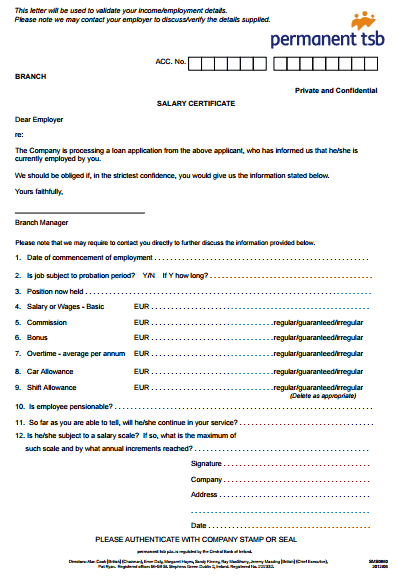
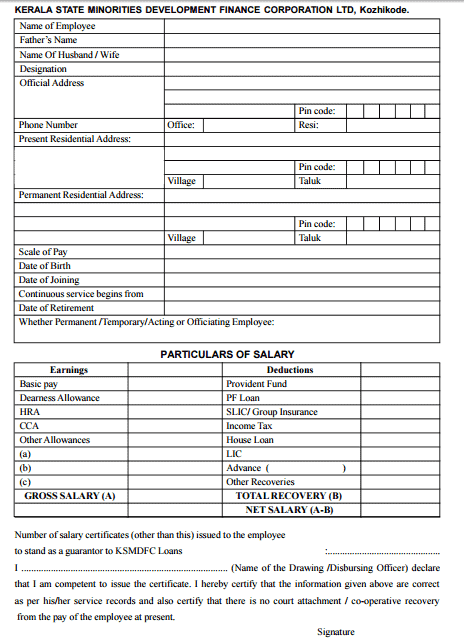
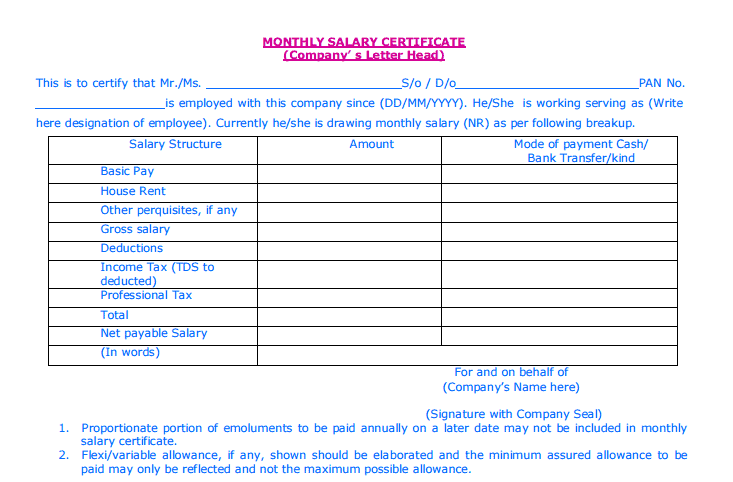


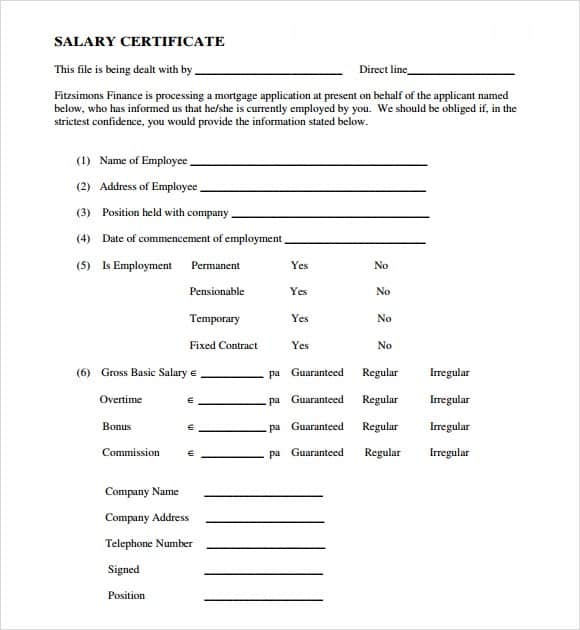

Salary Certificate Format In Word
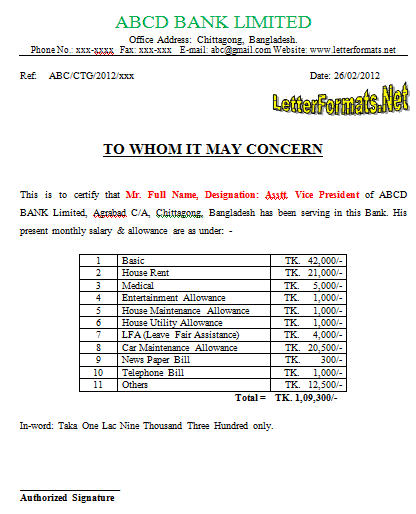

Download two customizable templates
These original downloads are hosted on Templates Front. Each ZIP contains the template files and instructions described below.
Monthly salary confirmation
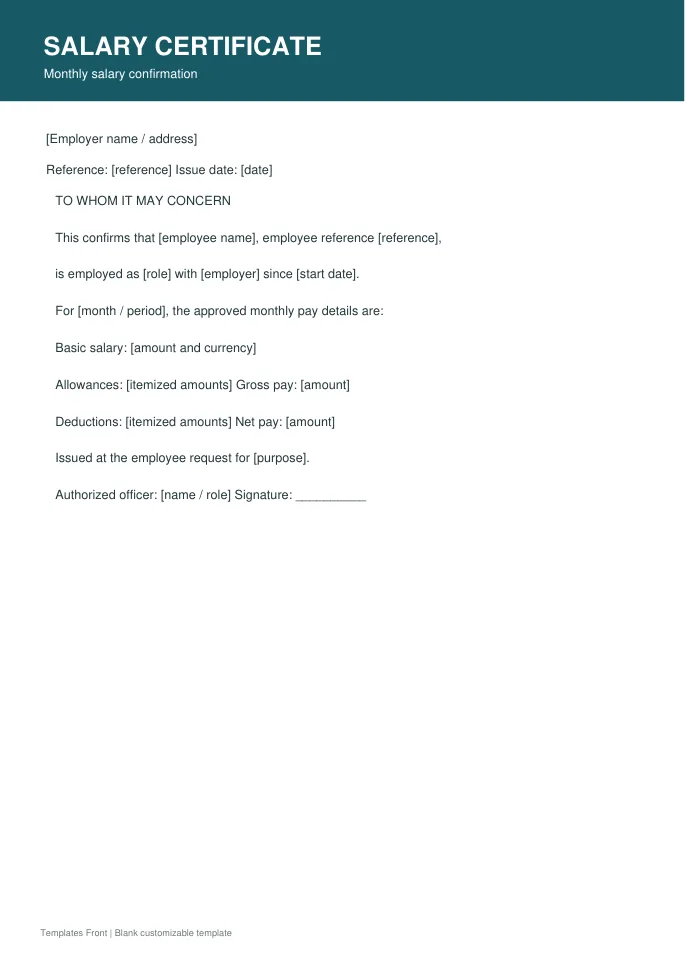
Printable PDF and editable HTML document. Open the HTML in a browser, click the text to edit, then print or save. Tables do not calculate automatically.
Annual compensation confirmation
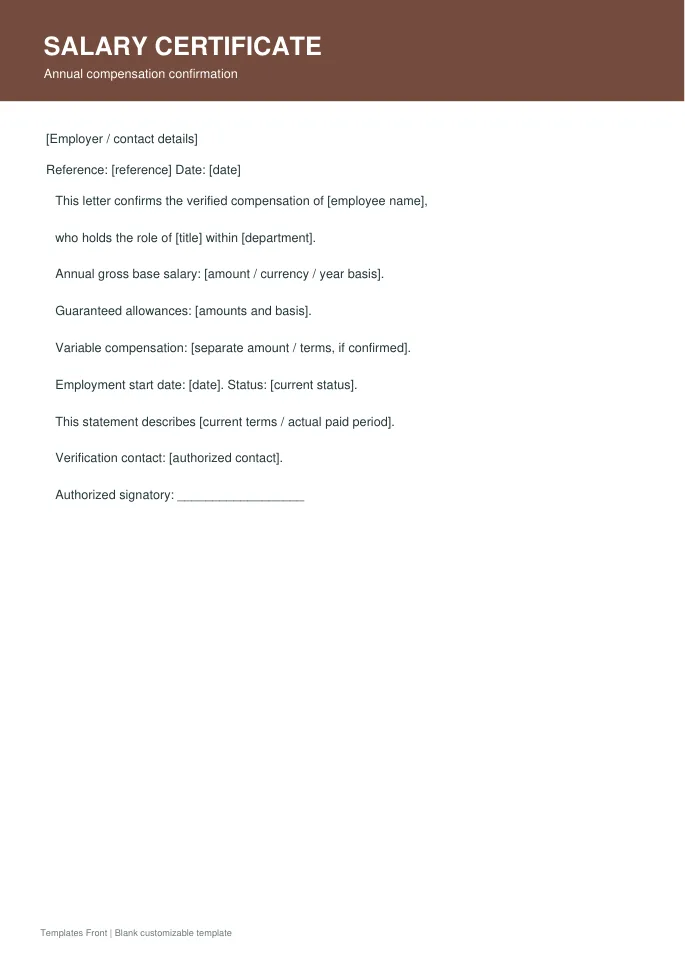
Printable PDF and editable HTML document. Open the HTML in a browser, click the text to edit, then print or save. Tables do not calculate automatically.
Frequently asked questions
Who should issue a salary certificate?
An authorized employer representative should verify and issue the information.
Should it show net or gross salary?
State whichever information is required and approved, labeling the amounts clearly.
Can I use a generic form for every bank?
Some recipients require their own form. Check before preparing the certificate.
How do I tell a downloadable file from a source page?
The buttons distinguish file links from external source pages. A source page may contain a download, a paid listing, or further information. Check its file type, availability, and usage terms before relying on it. A preview by itself does not promise an editable file.
